UP Free Tablet Scheme 2026: Check Eligibility and Status Online
|
Getting your Trinity Audio player ready...
|
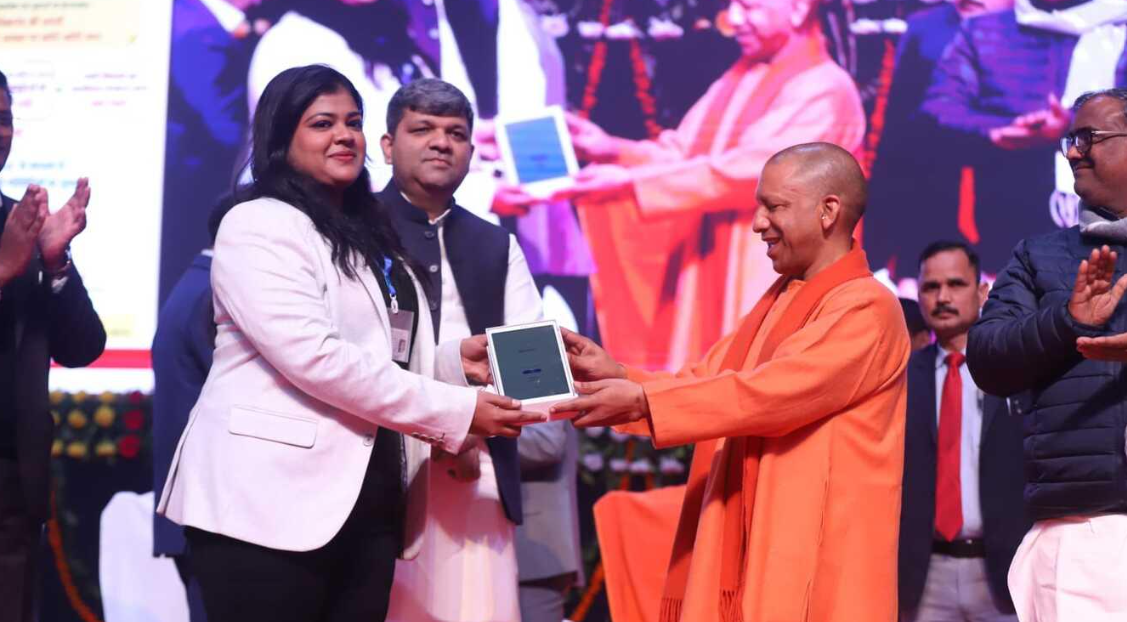
Lucknow, Uttar Pradesh: The Uttar Pradesh government is continuing its free tablet distribution initiative under the Swami Vivekananda Yuva Sashaktikaran Yojana. The scheme aims to digitally empower students pursuing higher education, technical courses, professional programmes and skill development courses across the state.
A new phase of tablet distribution began on November 15, 2026. However, despite the distribution process, many students are still waiting to receive their tablets. Several students have also reported that their colleges have not provided clear information about their selection or distribution status.
This has raised several questions among students: How can they check whether they are eligible for a free government tablet? Is there an online portal to check their names? Can students check their status using a mobile phone? What should they do if their names are missing?
Here is a detailed guide explaining the eligibility process and how students can check their details through the official DigiShakti Portal.
1. What Is the UP Free Tablet Scheme?
The Swami Vivekananda Yuva Sashaktikaran Yojana is an initiative of the Uttar Pradesh government designed to promote digital education and empower young students through technology.
Under this programme, eligible students are provided with free digital devices to support their educational activities, online learning, skill development and academic requirements.
On July 22, 2025, the Uttar Pradesh Cabinet approved a proposal to distribute tablets instead of smartphones under the scheme.
The government stated that tablets offer several advantages, including larger screens, better battery capacity and improved usability for educational and productivity applications.
The programme covers students enrolled in various recognised higher education, technical, professional and skill development programmes.
2. Which Students Can Be Eligible for Free Tablets?
The scheme covers various categories of students studying in eligible institutions across Uttar Pradesh.
Some of the major courses include:
- BA, B.Com and B.Sc.
- MA, M.Com and M.Sc.
- B.Tech and M.Tech.
- BCA and MCA.
- BBA and MBA.
- Polytechnic and ITI programmes.
- Nursing and Paramedical courses.
- Pharmacy and other eligible technical courses.
- Recognised skill development programmes.
However, studying in one of these courses does not automatically guarantee a tablet. The institution must be covered under the scheme, and the student’s details must be uploaded and verified through the prescribed process.
Final eligibility depends on the applicable government guidelines.
3. How to Check Your Free Tablet Status Online?
Students can use the official DigiShakti Portal to access their student details and complete the required Aadhaar e-KYC process.
Follow these steps:
Step 1: Visit the Official DigiShakti Website
Open the official Uttar Pradesh DigiShakti Portal using your mobile phone or computer.
Official Website: https://digishakti.up.gov.in/
Always ensure that you are visiting the genuine government website.
Step 2: Click on the e-KYC Option
On the homepage, look for the option titled “e-KYC through MeriPehchaan Portal”.
Click on this option to proceed.
Step 3: Open Search Student Details
Proceed to the Student Details Search section available through the portal.
Students may be required to provide their academic institution details to locate their records.
Step 4: Select Your University and College
Choose your University/Board/Society/Council from the available options.
After that, select the name of your college or educational institution.
Make sure you select the correct institution.
Step 5: Enter Your Enrollment Number
Enter your University Enrollment Number in the required field.
This number is generally available on your university registration documents, admission records or student identity card.
Enter the CAPTCHA displayed on the screen and click the Search button.
Step 6: Check Your Student Details and e-KYC Status
If your record is available on the portal, the relevant student information should appear.
Carefully verify the displayed details and check the Aadhaar e-KYC status.
Remember that the availability of your student record does not necessarily mean that a tablet has already been allotted to you. Final distribution depends on verification, allocation and the applicable distribution schedule.
4. What If Your Name Is Not Showing on the DigiShakti Portal?
This is one of the biggest concerns among students waiting for their government tablets.
If you are studying in an eligible course but cannot find your details on the portal, there may be several possible reasons.
- Your college may not have uploaded your student information yet.
- Your enrollment number or academic details may contain errors.
- Verification at the college or university level may still be pending.
- Your institution may not have updated the student records.
- Your name may not have been included in the current distribution phase.
Students should not immediately assume that they have been rejected.
The first step should be to contact the college’s designated DigiShakti Nodal Officer.
Provide your name, enrollment number, course and academic session. Ask whether your details have been uploaded and verified on the DigiShakti Portal.
If any information is incorrect, request the concerned college authority to correct the records.
5. Do Students Need to Fill Out a Separate Online Application Form?
No. According to the official DigiShakti Student Corner, students do not need to register or submit a separate application to receive the tablet under the scheme.
The process is handled through educational institutions.
Colleges and universities provide student enrollment details, which are uploaded to the DigiShakti Portal. The information is then processed and verified through the prescribed administrative procedure.
Once the information has been uploaded and verified, students are required to complete Aadhaar authentication through the “e-KYC through MeriPehchaan Portal” option.
Therefore, students should avoid unofficial registration websites and agents claiming to guarantee tablet allocation.
6. How Will Students Receive Distribution Updates?
According to the official DigiShakti Student Corner, students are regularly informed about their device status through SMS updates.
Students should also monitor communications from their respective colleges and universities.
Important updates may be shared through:
- College notice boards.
- Official college websites.
- Messages from institutional authorities.
- The designated DigiShakti Nodal Officer.
- SMS notifications.
Tablet distribution may take place in different phases across districts and institutions. Therefore, all eligible students should not expect to receive their devices on the same date.
7. Can Students Who Have Already Received a Device Get Another Tablet?
Students who have previously received a device under the scheme should check the applicable government guidelines before expecting another tablet.
Previous benefits and existing beneficiary records may affect eligibility for subsequent distributions.
Students should contact their institutional Nodal Officer to confirm their individual status.
8. Important Details Students Should Keep Ready
Students should keep the following information available while checking their records or contacting their institutions:
- Aadhaar Card.
- University Enrollment Number.
- College and University Name.
- Course Details.
- Current Academic Session.
- College Identity Card.
- Admission or Enrollment Documents.
- Mobile Number required for Aadhaar e-KYC, where applicable.
These details can help students verify their records and resolve discrepancies.
9. Beware of Fake Websites and Fraudulent Registration Links
Students should be cautious about fraudulent websites and individuals claiming to provide guaranteed access to free government tablets.
Keep the following precautions in mind:
- Use only the official DigiShakti website.
- Do not pay agents for guaranteed tablet registration.
- Never share Aadhaar OTPs with unknown individuals.
- Avoid suspicious WhatsApp links and unofficial registration forms.
- Contact your college’s authorised Nodal Officer for assistance.
The official process does not require students to pay a separate registration fee.
10. Final Advice for Students Waiting for Their Tablets
Students who are currently pursuing eligible courses in Uttar Pradesh and have not yet received their government tablets should first check their records through the DigiShakti Portal.
If their names are missing, they should contact their respective colleges instead of assuming that they have been excluded from the scheme.
The college administration can confirm whether their details have been uploaded, verified or are still pending.
Students should also complete the required Aadhaar e-KYC process once their records become available.
Official Website: https://digishakti.up.gov.in/
Conclusion: The Uttar Pradesh government’s free tablet distribution initiative is an important step towards promoting digital education among students. By checking their records through the DigiShakti Portal, completing the required Aadhaar e-KYC, and staying in contact with their college authorities, eligible students can stay informed about the progress of their tablet distribution.
Students are advised to rely only on official government information and avoid fraudulent registration websites.